Scan invoices.
Track unit prices.

Scan in batches, set your phone down, and come back to clean line items ready for monitoring and CSV export. Over time, your scan library becomes a searchable year of purchases.

How It Works

What it is (and why it’s useful).

Invoice Monitoring turns scanned invoices and receipts into structured line items you can track over time. It’s built for batch scanning, quick verification, and CSV exports.

What it is

A simple scanning workflow: capture documents, let the queue process, then review a clean, consistent output (vendor/profile, dates, totals, categories, and line items).

Why it’s useful

  • Batch-first: scan dozens or hundreds, set the phone down, and come back later.
  • Price monitoring: track unit-price changes and confirm the source invoice.
  • Searchable history: build a long-term library of purchases and rates.
  • CSV exports: move data into spreadsheets for reporting and analysis.
01

Scan

Capture documents back-to-back with automated framing and enhancement.

02

Process

Leave the app open while your scans are processed in the background queue.

03

Monitor

Track item rates across invoices and flag increases with a percentage delta.

04

Export

Generate CSVs for Excel/Sheets and reconstruct invoices using Batch IDs.

Screens

What you’ll see in the app.

Each view is built for one goal: scan quickly, verify extracted details, track price changes, and export CSV when you’re ready.

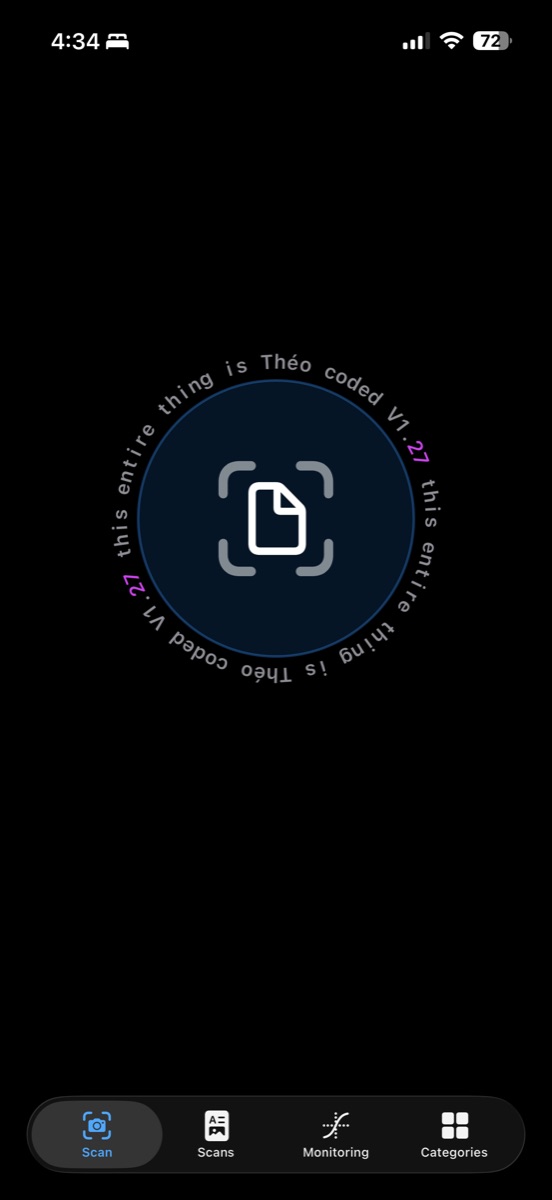
Scan screen with shutter button and bottom navigation.

Shutter button (Scan)

The Scan view is the starting point. Tap the scan button to capture documents quickly. The automated scan handles focus, border detection, scaling, and multi-frame capture for stronger extraction.

  • Use a contrasting surface and even lighting.
  • Hold steady for ~3 seconds for best results.
  • Scan everything first, then let the queue process.
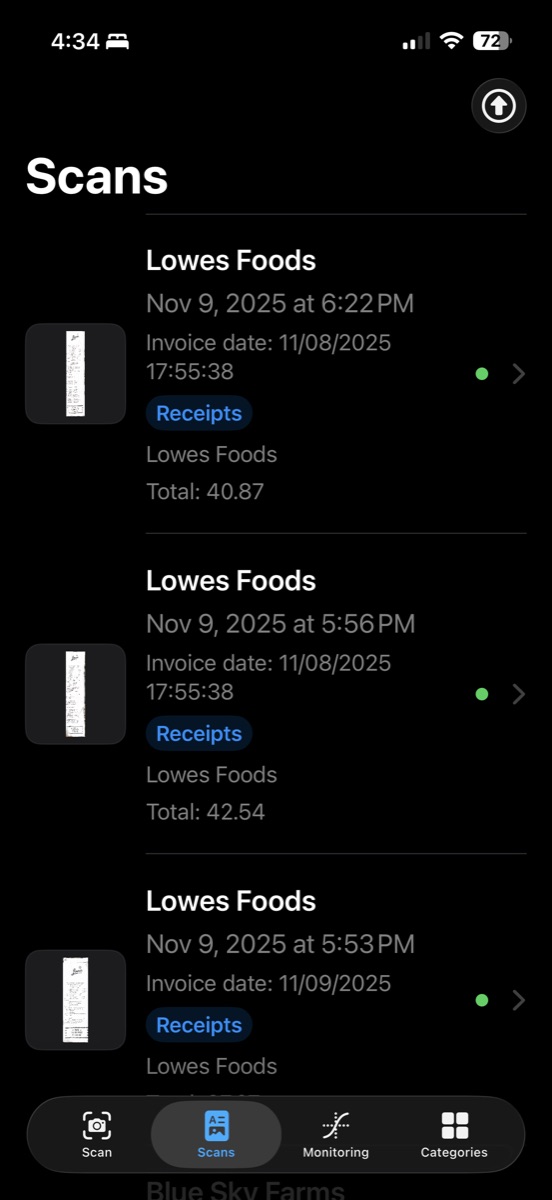
Scans page showing a list of captured invoices and receipts.

List of invoices (Scans)

The Scans page is your queue and your history. Each entry summarizes what the model extracted (profile name, invoice date when present, category, and total) so you can review quickly.

  • Tap a scan to open the detailed preview.
  • Bulk export combines selected scans into one master CSV.
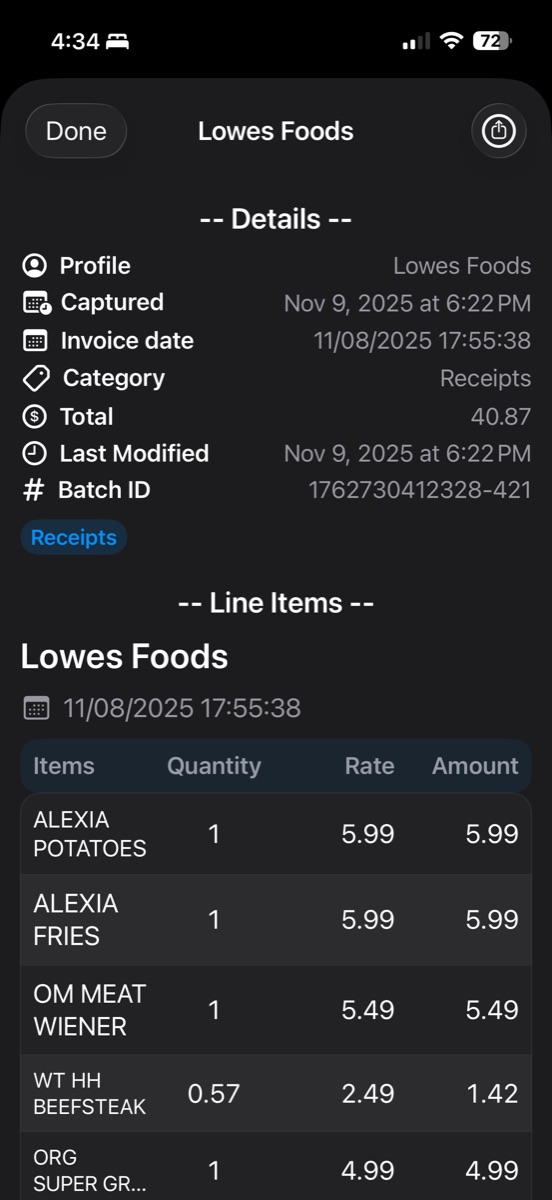
Individual invoice preview showing extracted fields and a line item table.

Individual invoice preview

The detail view is where you verify a scan. It shows the extracted fields (profile, dates, category, total) and a structured line-item table (items, quantity, rate, amount).

  • Batch IDs help regroup line items into invoices after export.
  • Export/share generates CSV output for spreadsheets and analysis.
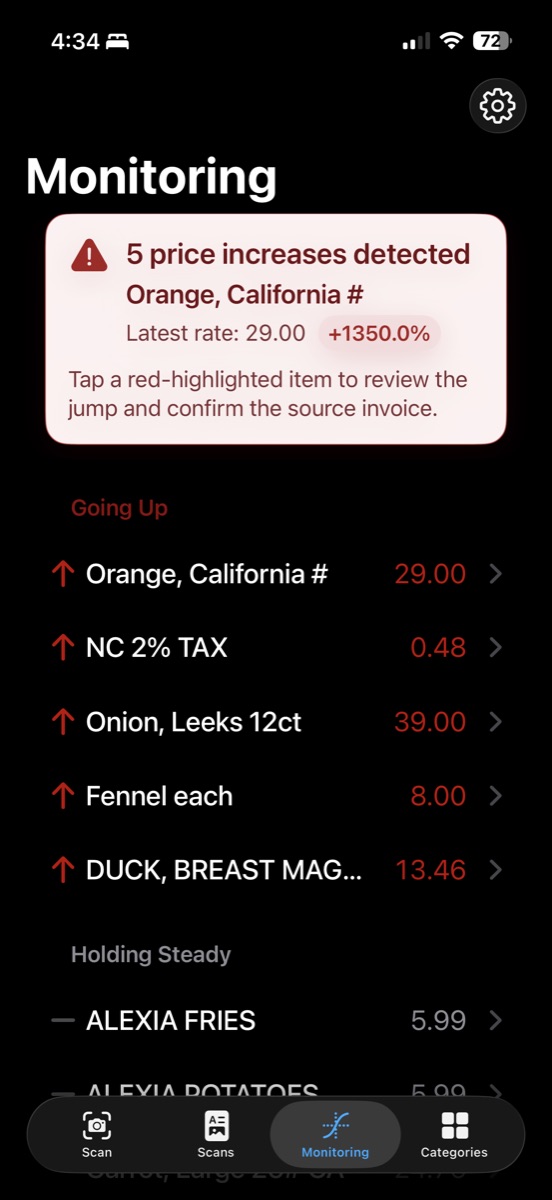
Monitoring dashboard listing items with price increases highlighted in red.

Monitoring dashboard

Monitoring tracks every line item across your invoices. When the unit price changes, the app surfaces it immediately—highlighting increases in red and showing a percentage delta.

  • Items are grouped into Going Up, Holding Steady, Going Down, and Newly Tracked.
  • Tap an item to confirm the change against the source invoice.
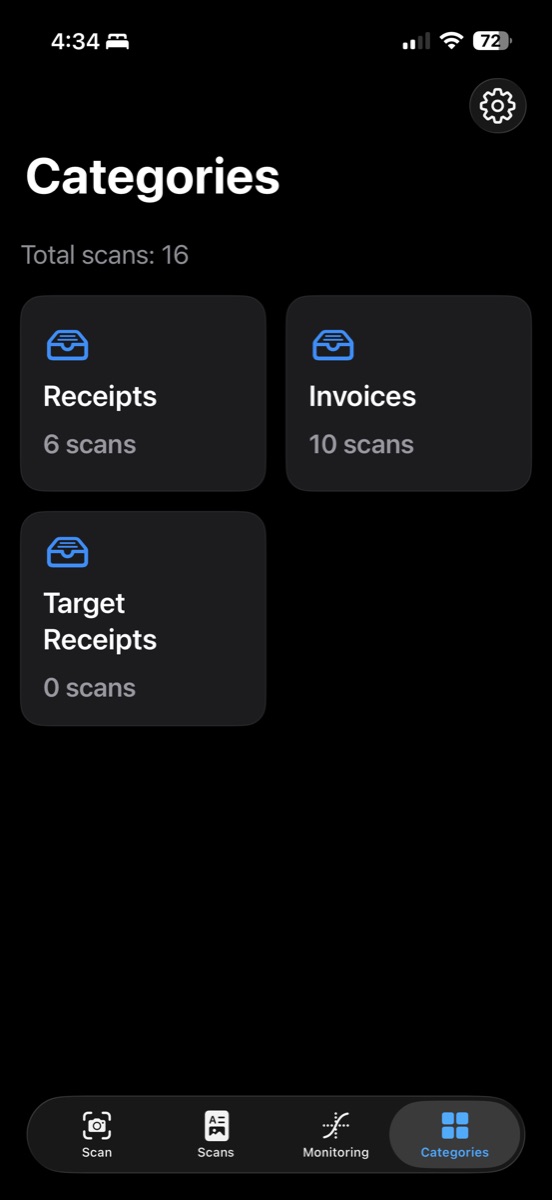
Categories menu showing document categories and scan counts.

Category menu

Categories help keep mixed documents organized. The model assigns each scan to a category (Invoices, Receipts, Statements, or custom categories), and you can browse/export by type.

  • See totals per category at a glance.
  • Export a full category to CSV for fast reporting.
Model Output

From paper to structured JSON.

A scan starts as unstructured text. The app turns it into consistent fields and line items—ready for monitoring and export.

Unstructured document

Invoices vary by vendor and layout. Dates, totals, and line items don’t come pre-structured.

Structured output (JSON)

This cleaned structure is what powers Monitoring and CSV exports.

Contact

Get in touch.

Have any questions? Support requested features or feedback? We'd love to hear from you.